Why UniFi

Buy the hardware once. Then nothing.

Most business WiFi platforms charge an annual licence per access point on top of the kit. UniFi doesn't. That's why we install it. Below, the honest case: the licensing-cost numbers, the trade-offs, and where UniFi isn't the right fit.

The licensing tax

Cisco Meraki, Aruba Central, Ruckus Cloud and most of the other cloud-managed business WiFi platforms share the same commercial model: you buy the hardware, then you also buy an annual licence for each access point. If that licence lapses, the access points lose their cloud dashboard and stop receiving firmware updates. The kit doesn't manage itself any more.

That ongoing per-AP cost is the part most small businesses don't see at quote-time. UniFi removes it entirely. There is no per-AP cloud licence on the UniFi platform, full stop. You buy the hardware once and own the management software with it.

For a typical small-office install (a handful of access points plus a gateway and a switch), that's the difference between a single hardware bill versus a hardware bill plus an annual licensing line that compounds year on year. For a charity, a community venue or a single-floor café, removing that recurring line is what makes a properly engineered network viable in the first place.

Aruba Instant On and Aruba Central specifically

Aruba's small-business tier (Aruba Instant On for sites under 25 access points, Aruba Central for everything above) sits in the same commercial shape. The Instant On access points price competitively against UniFi at the hardware line, but Central's per-AP cloud subscription is what changes the five-year total cost.

If your existing IT estate or procurement framework already has Aruba on it (common in the NHS, public sector and large-corporate environments), staying with Aruba makes sense; that's the "named vendor on the framework" trade-off below. For an independent small business choosing freely, the recurring subscription is what clients report back to us as the deal-breaker.

Cisco Meraki specifically

Meraki's MR-series ships with mandatory 1/3/5/7-year licensing that must be renewed for the access point to retain its cloud dashboard. The radios still emit WiFi if the licence lapses, but you lose the controller, the alerts, the firmware updates and the dashboards. Combined with Meraki's habit of forcing hardware refresh cycles, the recurring spend per access point typically runs 2-3× the equivalent UniFi total over five years for like-for-like coverage. Our five-year cost comparison table is on the services page.

We can pull live, model-specific pricing for any of the comparator platforms during your site survey if you'd like to see the like-for-like numbers for your own building. The exact figures move with AP class, contract length and reseller, so we'd rather quote them in writing for your job than print a five-year forecast on a marketing page.

You own the hardware

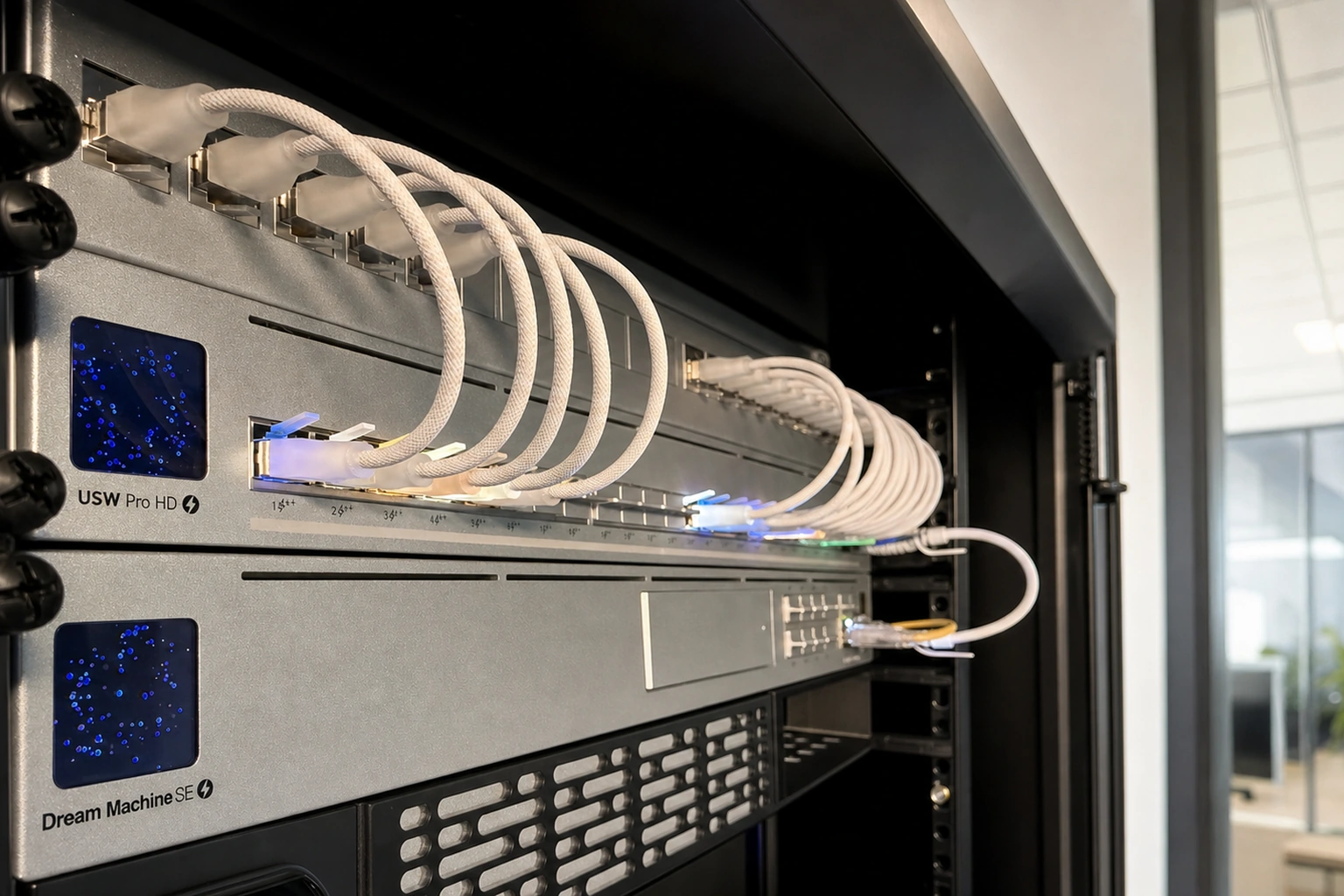
UniFi is hardware you buy outright. The controller (the management dashboard) runs on a small device on your network, typically a Cloud Gateway or Dream Machine sitting in your comms cabinet, not in someone else's cloud. If we walk away tomorrow, the network keeps running. You can log into the controller at its local IP (or via Ubiquiti's free remote-access service if you've enabled it), see all the same dashboards we see, change SSIDs, add users, anything.

Most cloud-managed platforms put the controller in the vendor's cloud and the licence is what gives you (and your installer) access to it. Lapse the licence and you lose the dashboard. Switch installers and the new one needs to migrate everything to their own account. UniFi side-steps both.

No impersonal outsourced-IT queue

The other half of the small-business WiFi problem is the outsourced-IT (or MSP) model. You sign up, pay monthly, and when the WiFi misbehaves you raise a ticket and join a queue. The engineer who comes out the third time isn't the one who installed the network and doesn't know the building.

We don't run that model. The phone goes straight to the engineer who'd do the work (and who did the work). If you keep us on remote support after the install, we know your stack inside out. If you don't, the network is yours to manage.

The trade-offs, honestly

UniFi isn't a perfect fit for every brief. Where it's worth flagging on a survey:

  • If your procurement framework names a specific vendor. Some public-sector frameworks, large-corporate IT policies and cyber-insurance policies require a named brand (often Cisco or Aruba). If you're locked to one of those, UniFi can't satisfy that requirement. We'd rather tell you on the call than try to sell around it.
  • If you need a manufacturer-side 24/7 phone TAC. Ubiquiti's standard support is email- and online-ticket-based rather than a phoned 24/7 hotline. For most small businesses our own remote-support contract covers the gap; for organisations whose contracts mandate vendor-side phone support specifically, that gap doesn't close.
  • If your brief includes a niche feature. We'll check it against UniFi's current capability on the survey. Rare in our experience, but worth flagging up front.

For everything else (cafés, offices, hotels, B&Bs, restaurants, retail, charities, community venues, light industrial, professional services), UniFi is the right call.

What we actually install

The standard UniFi stack we deploy:

  • Cloud Gateway / Dream Machine. Runs the controller dashboard locally. About the size of a paperback.
  • U7-series WiFi 7 access points for new installs, U6 series for budget builds. PoE (Power over Ethernet) means one cable does both the network and the power to each access point, so there's no separate plug or socket needed.
  • UniFi PoE switches. 8/16/24-port depending on building size, all manageable from the same dashboard.
  • Optional UniFi Protect cameras for sites that want video (replaces per-camera Verkada licensing).
  • Cloudflare Workers captive portal for branded guest WiFi sign-in (free, GDPR-compliant).

Every install is configured the same way: separate virtual networks for staff, guests, smart-building kit and payment terminals (each kept isolated from the others), fast-roaming standards (802.11k/v/r) on by default so devices hand off cleanly between access points, per-client bandwidth limits to stop one user dominating the room, and proper documentation handed over at the end.

See what each service includes →or book a free site survey

One screen for everything

Your whole network, on one dashboard

Every access point, switch, gateway and camera in one place, on the same controller we run for every client. No per-device licensing, no subscription, and it’s yours to keep.

Ready to talk?

Free site survey, written summary, no pitch.

The first conversation is just a conversation. We come to you, measure the building and work out who's using the network, then send a summary even if you don't proceed.