What business WiFi installation costs. Planning ranges, with the variables explained.
A useful budget needs context. These cautious planning bands show how walls, peak demand, cabling and network separation can move the cost before a site has been surveyed.
Why one price cannot fit every building
Headline prices rarely account for the walls, cable routes, busiest hour or equipment already on site. Those details can change both the hardware and the installation time.
The bands below are illustrations for early planning, not a market survey or a quote. They help frame the conversation before a site visit turns assumptions into a written scope. Local to us? See business WiFi installation in Worcester.
The four things that drive the price
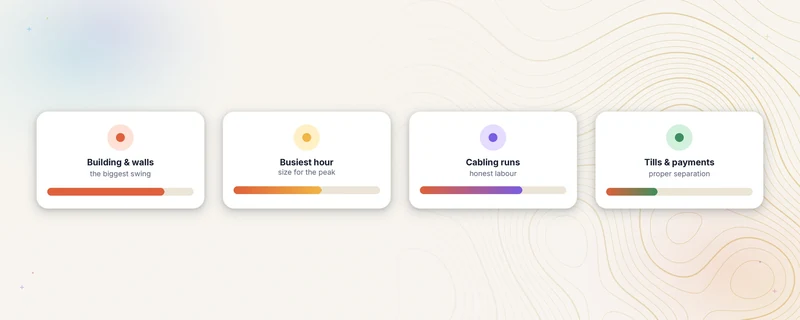
The building itself. Floor area matters less than what the walls are made of. A big open-plan unit can be cheaper to cover than a small Georgian building with thick brick and awkward corners. Listed buildings and pretty ceilings add care, and care adds time.
Your busiest hour. Kit is sized for the peak, not the average. Forty phones at Saturday lunch need more capacity than the same room on a quiet Tuesday, and a venue that runs events needs headroom for the busiest periods.
Cabling runs. Every access point, often shortened to AP, needs a cable back to the network. If usable cabling exists, the job shrinks. If cable has to travel through walls, above ceilings or between floors, that labour is usually the biggest variable on the quote.
Tills and payments. If card machines and business systems share the network, and they should never share it with guests, the design includes proper separation. It is not expensive, but it is design work, and venues that take payments should insist on it.
Planning ranges
For early planning, we use the following broad illustrations. The written survey and proposal replace them for an actual project:
A simple refresh for a small single-room venue, one business-grade access point replacing a struggling freebie with minimal cabling, typically lands in the high hundreds all in.
A two-to-four-access-point venue installation, with a switch and gateway, some new cabling and a separate network for payment systems, can sit in the low thousands. The survey determines whether that scope fits the building.
A full fit-out, structured cabling through the building, many access points, comms cabinet built and documented, scales up from there with the size of the job, into five figures for large or complex sites.
Wherever the number lands, the proposal should make the scope clear. Ours sets out the hardware, design, installation, documentation, exclusions and optional work included within one all-inclusive project figure. Internal labour sizing is not shown as a separate customer charge.
Where the project budget goes
Hardware is only one part of the project. The all-inclusive figure also covers the agreed design work, installation and documentation, so the proposal explains what will be measured, fitted, tested and handed over before anything is ordered.
The ongoing cost question
This is where buyers get caught. Some systems charge an ongoing cloud licence for each access point, which can add materially to the five-year cost. UniFi, the platform we install, has no compulsory per-access-point cloud licence. The Net Intellect monthly services are optional: network monitoring if you want ongoing oversight, and portal hosting free for six months only if you choose Guest WiFi with a new Net Intellect UniFi installation, then £19 a month (£29 with monitoring) from month 7 if you run Guest WiFi marketing. Both can be cancelled without breaking the network.
Ways to keep the cost down
Reuse existing cabling where it tests well. Phase the job if the core network needs attention before extra coverage. A survey can also show that no new hardware is needed; any installation or reconfiguration work is scoped separately. Buying from a generic equipment list without checking the building and busy-hour demand risks spending money without fixing the underlying problem. If you already run UniFi, the Remote UniFi Health Check can show what needs attention before anything is bought.
Questions venue owners ask
Why do you survey before pricing?
Walls, ceilings, cable routes and existing equipment are difficult to assess remotely. A free survey replaces those assumptions with measurements and comes with a written summary.
Is the cheapest quote a red flag?
Not always, but compare the scope rather than the total alone. Check whether survey work, payment separation, documentation, cabling, testing and handover are included.
Should I lease or buy?
Compare the full cost, ownership terms and support obligations. Buying can suit a business that wants to keep the hardware; leasing or phasing may suit a different cash-flow or procurement requirement.
How long does an install take?
A straightforward refresh may fit within a day. New cabling, difficult routes or a larger site can take longer. The proposal states the expected schedule before work is booked.
The short version
Business WiFi pricing depends on the building. A simple refresh may sit in the high hundreds, a complete small-venue installation in the low thousands and a large or complex fit-out higher. Walls, peak demand, cabling and payment separation move the figure. A free survey and written summary turn those planning bands into a project scope, or show that no installation is needed yet.
See what an installation includes and how the survey works on our business WiFi installation service page. Adding a guest sign-in? Guest WiFi pricing explains who qualifies for the six-month offer.
Related guides
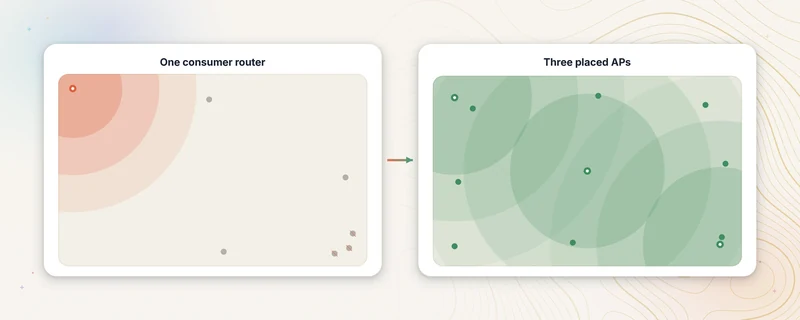
Why your WiFi dies at lunchtime
It is often not your broadband. Why venue WiFi collapses at the busiest hour, in plain English, and how a site survey finds the right fix.
Read the guide →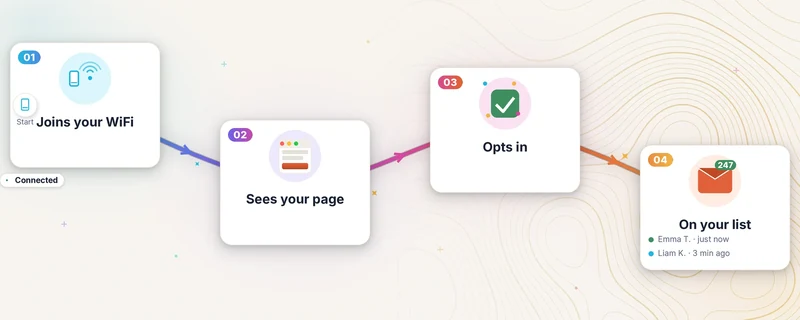
What a captive portal is (and what it costs)
A captive portal is the sign-in page guests see when they join your WiFi. How it works, what it does for a venue, and what it currently costs in the UK.
Read the guide →Turn the planning range into a surveyed scope.
Share the floor plan, current cabling and busiest period. The survey replaces the broad guide ranges with one written project scope.
Book a free site survey- 01Share the building detailsFloor plan, current cabling and busiest period.
- 02Survey the cost variablesWalls, routes, equipment and installation access.
- 03Review the project figureOne written scope replaces the broad planning range.