Why your WiFi dies at lunchtime. It is often not your broadband.
Every venue owner knows the moment: the room fills, the card machine hesitates, and the WiFi everyone praised at 10am quietly gives up. Here is what is happening.
The 12:30 collapse
At half past ten the WiFi is lovely. Two laptops, a phone or three, the card machine idling between flat whites. By half past twelve there are forty devices in the room, the till queue is six deep, a regular is trying to video call from the corner, and everything crawls. The connection did not break. It got busy, and the kit could not cope.
The first instinct is often to ring the broadband provider and ask for a faster line. That may help, but many busy-hour failures begin inside the building rather than on the internet connection.
Often the problem is capacity, not speed.
Think of your broadband as the kitchen and the WiFi as the till queue. At lunchtime your kitchen can usually cook plenty fast enough; the problem is one till serving forty people. Adding a faster oven does nothing about the queue.
WiFi works in a similar way. Devices take turns on the shared radio channel, and the equipment must manage those turns. A basic router may be adequate for a quiet site but struggle when many active clients, weak signals and neighbouring networks compete for airtime.
Why the free router taps out
Three things gang up on it at once.
Too many turns to share. Forty devices all taking turns on one radio means everyone waits longer for theirs. The maths is brutal and no broadband upgrade touches it.
The crowded band. Crowded 2.4GHz channels, neighbouring networks and interference can reduce the airtime available to each device.
Walls and distance. One box by the front door serving the back room through two brick walls was always a hope rather than a plan. Signal that arrives weak makes every turn slower, which makes the queue worse for everyone, including the card machine.
That last point matters because business and payment devices can be affected by the same congestion if the network has not been designed and separated appropriately.
What fixes it
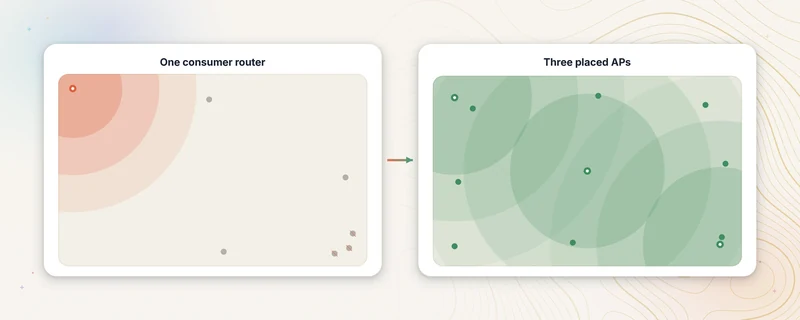
The fix may not be a faster line. It depends on whether the bottleneck is broadband, airtime, coverage or cabling. Where the local network is the problem, the following changes can help.
Enough access points in the right places. More than one access point may reduce weak-signal areas and spread active clients across radios. The quantity and placement follow the building and measured demand rather than a fixed rule.
Both bands, configured sensibly. Capable devices can use 5GHz while 2.4GHz remains available where its reach or compatibility helps. Client behaviour, interference and configuration all affect the result.
Business systems on separate networks. Guests, staff and payment equipment can be separated on the same managed hardware. This limits unnecessary traffic and access between groups, although it cannot guarantee the performance of the broadband line or payment provider.
With UniFi, you own the equipment and keep access to the management dashboard. There is no compulsory per-device platform licence. Optional monitoring and Guest WiFi services are separate.
How many access points does a venue need?
It depends on construction, layout, interference, client numbers and the capacity expected in each area. A small open room may need one; multiple floors, outdoor areas or dense crowds may need several. A survey turns those variables into a placement plan before hardware is quoted.
Questions venue owners ask
Would a WiFi extender help?
An extender may improve reach in a light-use setting, but a wireless repeating link also consumes airtime and may not solve busy-hour capacity. A wired access point is usually easier to plan and diagnose for a venue.
What about a mesh kit from the high street?
Home mesh can suit a small, light-use venue. Check whether it supports wired backhaul, suitable network separation, useful diagnostics and the peak client load. Those capabilities vary by product.
Is business kit overkill for a small café?
Room size alone does not decide the answer. Peak clients, interference, walls and important business devices all matter. A survey may show that repositioning existing equipment is enough, or that a managed access point and cabling are justified.
Do I need faster broadband as well?
Sometimes. A survey checks both sides of the problem: whether the broadband line is reaching the expected speed and whether the WiFi can distribute it properly around the venue.
The short version
Lunchtime WiFi failure is often a capacity problem. The free router was built for a house, not a venue at its busiest. The fix may be a small number of well-placed business-grade access points, sensible use of both WiFi bands, and a separate network for payment equipment. The survey confirms the scope before anything is quoted.
If WiFi struggles when the site is busy, the survey can separate broadband, coverage, capacity and cabling causes. It comes with a written summary.
Planning new equipment? See our business WiFi and network installation service. Already running UniFi? The £149 Remote UniFi Health Check reviews your existing setup without changing anything.
Related guides
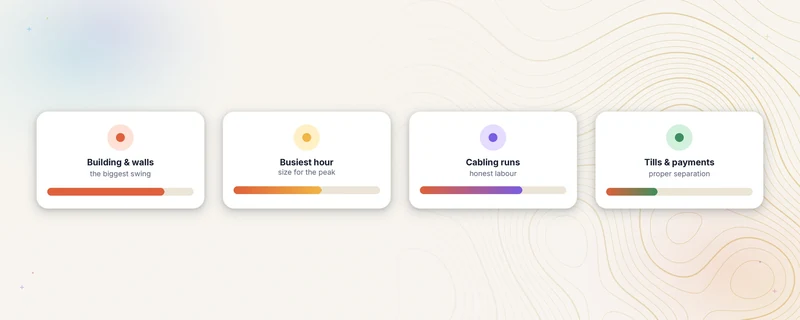
What business WiFi installation costs
Planning ranges for UK business WiFi installation, what changes the price, and why a site survey is needed before a fixed project quote.
Read the guide →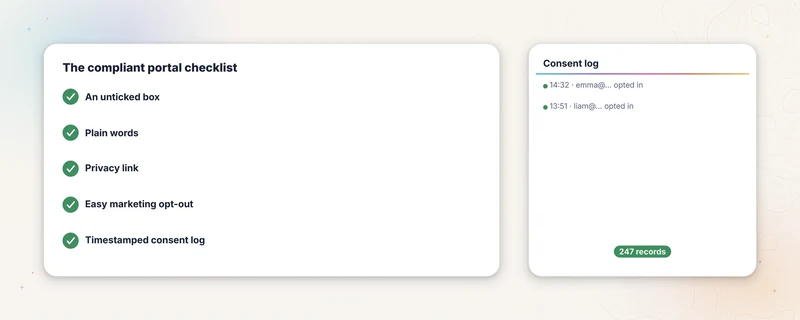
Guest WiFi and the law
What UK law asks of a venue running guest WiFi. Five practical parts of a clear consent workflow, explained in plain English by people who build the tools.
Read the guide →Find out whether the problem is coverage, capacity or cabling.
Tell us when the failure happens and which devices are affected. The survey checks the broadband evidence and the local network before any hardware is proposed.
Book a free site survey- 01Describe the failureWhen it happens and which devices are affected.
- 02Survey the busiest periodCoverage, capacity, cabling and broadband evidence.
- 03Review the likely causeWritten options before any hardware is ordered.